django-tabular-permissions Fork
Introduction
Managing user permissions in Django’s admin interface has always been a challenge. The default multi-select widget becomes unwieldy as your application grows. The original django-tabular-permissions package addressed this by displaying permissions in a clean, table-based format. This fork takes it further, bringing modern Python and Django support along with new features.
This fork is driven by two practical needs:
- How to manage permissions in a more user-friendly way.
- How to see users in every group?
What is django-tabular-permissions?
django-tabular-permissions replaces Django’s default FilteredSelectMultiple widget with a user-friendly table that displays permissions in a structured, searchable format. It works seamlessly with both User and Group admin pages.
What changed in my fork / upgrade
- The default Django permissions widget shows a flat list of permissions. This package transforms it into a clean table organized by model, with add/change/delete/view permissions as columns.
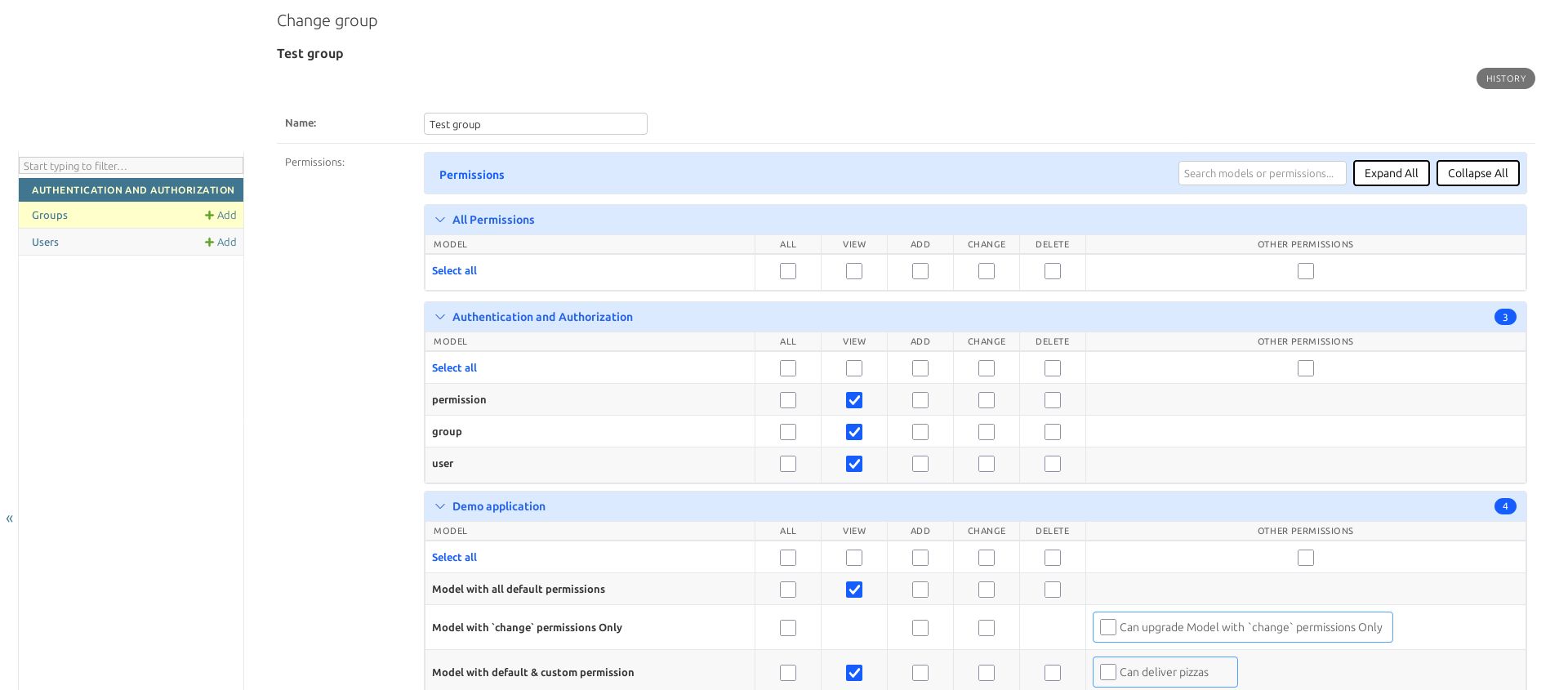
Major features added
Search functionality
Search inside the permissions widget to quickly locate what you need:
- Filter by model verbose name (e.g., “User”, “Group”)
- Filter by model table name/key
- Filter by custom permission names
- Filter by legacy permission names
Sections with no matching content are automatically hidden.
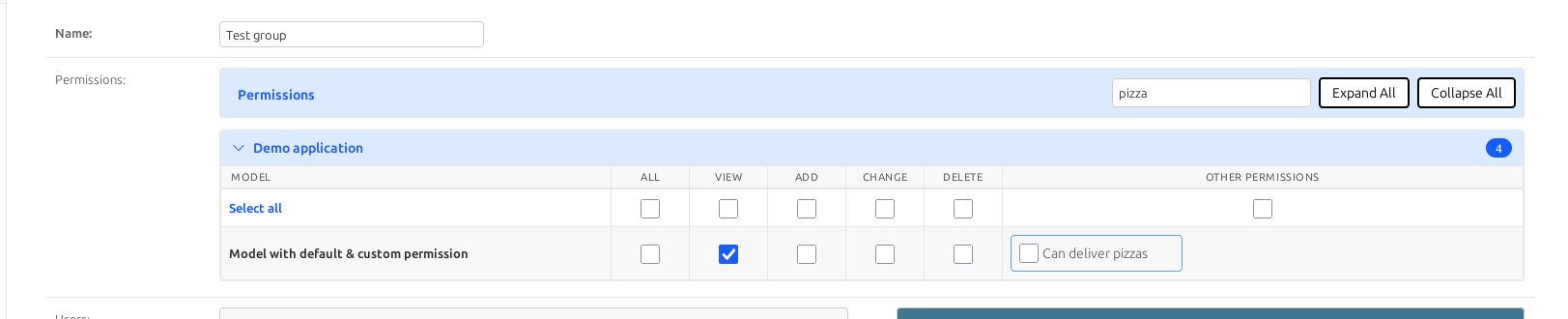
Collapsible sections
Apps in the permissions table can be collapsed/expanded, with controls for:
- Expand all
- Collapse all
- Expand only apps with selected permissions
- Collapse all except apps with selected permissions
This makes it easier to focus on the permissions you care about.
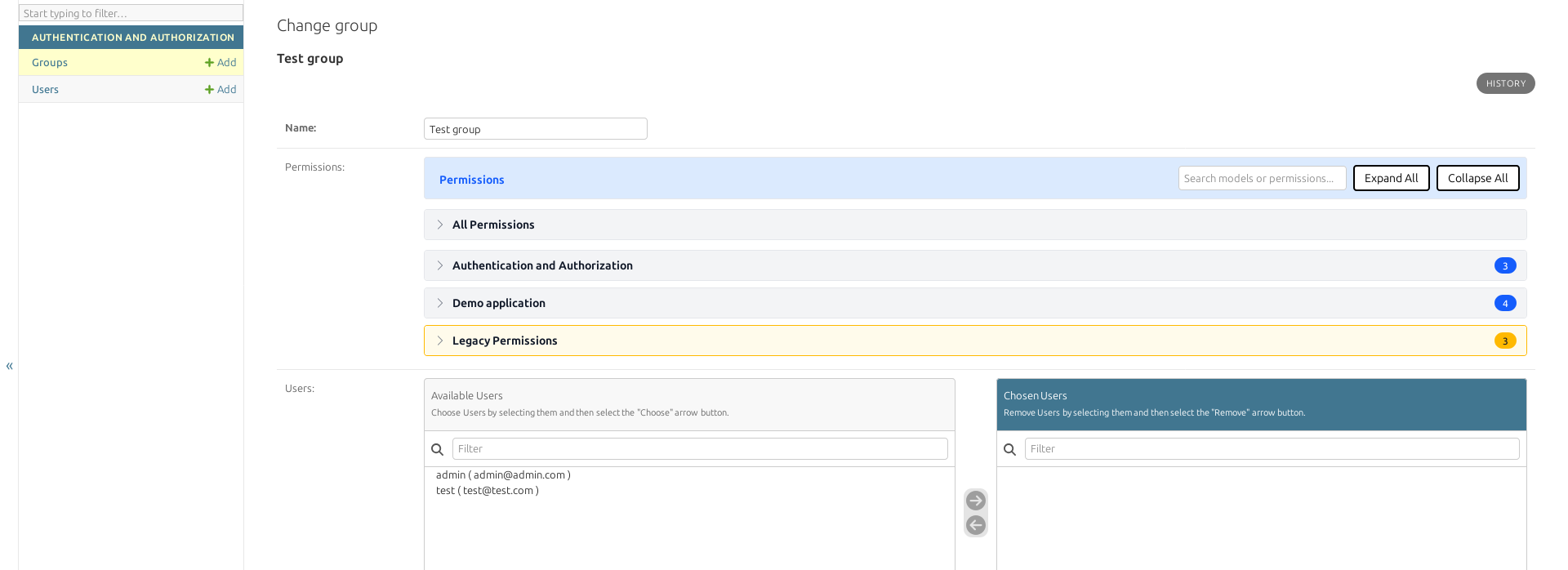
Global/Local Selectors
Added global selectors for each permission type (Add, Change, Delete, View) to quickly select/deselect all permissions of a specific type across all apps and local selectors for each app to select/deselect permissions within that app.
New User Widget on Groups page
Added a new widget to display users in each group, making it easier to manage group memberships.
Improved UX
- Better visual hierarchy with app headers
- Clearer permission column labels
- More intuitive selection workflow
- Responsive design for different screen sizes
Note: dark theme is not styled as well as the original light theme, but you can customize it.
Management command: remove_legacy_permissions
A management command to clean up orphaned permissions from uninstalled apps/models:
1
2
3
4
5
6
7
8
# Preview what will be deleted
python manage.py remove_legacy_permissions --dry-run

# Delete with confirmation
python manage.py remove_legacy_permissions

# Delete without confirmation (for scripts)
python manage.py remove_legacy_permissions --force
Dynamic CSS/JS loading
Override which CSS/JS assets are loaded via configuration:
1
2
3
4
TABULAR_PERMISSIONS_CONFIG = {
    "css": ("custom/styles.css",),
    "js": ("custom/permissions.js",),
}
Legacy permissions toggle
Control whether permissions from removed apps/models are shown:
1
2
3
TABULAR_PERMISSIONS_CONFIG = {
    "show_legacy_permissions": True,
}
Upgrade / Installation
Install
Update your requirements to use this fork:
1
pip install git+https://github.com/hosamhamdy258/django-tabular-permissions.git
Enable in Django
Add tabular_permissions to INSTALLED_APPS (after django.contrib.auth):
1
2
3
4
5
INSTALLED_APPS = [
    "django.contrib.auth",
    # ...
    "tabular_permissions",
]
Collect static files
Because the widget ships CSS/JS assets:
1
python manage.py collectstatic
Where you see it
After installation, open Django admin:
- User change form
- Group change form
Summary
This fork exists to close the compatibility gap for modern Django and to make permissions management in admin actually usable at scale.
If you are upgrading to newer Django versions:
- Install the package
- Run
collectstatic - Verify User/Group admin behavior (render + search + submit)
- Decide how to handle legacy permissions